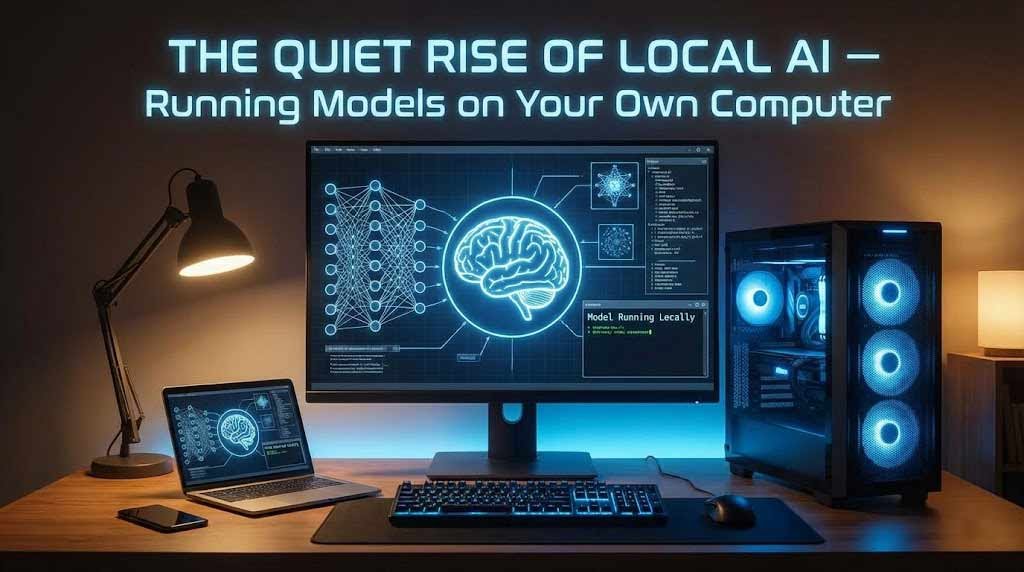
You’ve probably used ChatGPT. Maybe Claude or Gemini. You type something, wait a second for the cloud to respond, and get your answer. It works well enough — until it doesn’t. Maybe the service is down. Maybe you hit a rate limit. Maybe you’re on a plane without WiFi. Or maybe you’re just uncomfortable sending sensitive information to some data center in Virginia.
What if I told you there’s another way? That in 2026, you can run AI models that rival ChatGPT 3.5 entirely on your own computer — no internet required, no subscriptions, complete privacy — and it’s not even that hard anymore?
Welcome to the quiet revolution of local AI. While tech giants battle for AI supremacy in the cloud, a parallel movement has been building powerful, private, self-hosted AI that runs on hardware you already own. And it’s starting to change everything.
The 11 PM Realization: When Cloud AI Fails You
Let me tell you a story that’s become surprisingly common among developers and power users. It’s from a blog post by an engineer named David who works in NYC’s tech scene, written in late 2025:
“It was 11 PM on a Tuesday. I was debugging a complex React component, bouncing between ChatGPT and Claude, when both services hit me with rate limits within the same hour. I was paying nearly $50 a month between two subscriptions, and I still couldn’t get unlimited access when I actually needed it.”
David’s frustration is far from unique. As AI has become essential to work in 2026 — for writing code, analyzing data, drafting documents — the limitations of cloud services have become painfully obvious. You’re dependent on someone else’s servers, someone else’s rate limits, someone else’s terms of service.
That night, David went down a rabbit hole. His developer friend mentioned running AI models locally on a gaming PC. “Complete privacy, no limits, no monthly fees after initial setup.” David was skeptical. Wouldn’t that require a supercomputer?
Six months later, David runs Llama 3.3 70B on a used RTX 3090 that cost him $700. His total expenses after six months: $700 for the GPU, $0 in monthly fees. His previous cloud AI spending over the same period: $300. Break-even at month three, pure savings thereafter.
He’s not alone. The local AI community has exploded in the past two years. Tools like Ollama, LM Studio, and LocalAI have made running sophisticated AI models as easy as installing an app. The hardware requirements, while still significant, have dropped dramatically thanks to quantization techniques and more efficient models.
How We Got Here: The Democratization of AI
Five years ago, running a large language model on your laptop was science fiction. The models were too big, the hardware too expensive, and the software too complex. Only major tech companies and research labs had the resources.
Then everything changed.
In 2023, Meta released Llama 2, an open source AI model that rivaled proprietary systems. Suddenly, developers worldwide had access to the underlying architecture. The open source community exploded with innovation: more efficient inference engines, quantization techniques that compressed models to fit on consumer hardware, user-friendly interfaces that hid the complexity.
By 2024, projects like Ollama and LM Studio had emerged, providing desktop applications as simple as clicking “download model.” Apple added specialized AI hardware to their M4 chips. NVIDIA’s RTX cards, originally designed for gaming, became the de facto standard for local AI.
In 2026, the ecosystem has matured. Running local AI is no longer a hobby for technical enthusiasts — it’s becoming mainstream. Hardware manufacturers optimize for AI. Software gets simpler. Models get more powerful yet more efficient. And the value proposition becomes undeniable.
The Numbers Don’t Lie: Privacy, Cost, and Performance
Let’s talk specifics. What can local AI actually do in 2026, and how does it compare to cloud services?
Privacy and Ownership: This is the biggest draw. When you run AI locally, your data never leaves your computer. No company logs your prompts. No terms of service dictate usage. No potential for data breaches exposing sensitive conversations.
For businesses, this is transformative. Legal firms can analyze confidential documents without third-party risk. Healthcare providers can use AI while maintaining HIPAA compliance. Finance companies can process proprietary data without sending it to OpenAI or Google.
For individuals, it’s about control. That sensitive medical question you want to ask? The business idea you’re developing? The personal writing you’re drafting? It stays on your machine.
Cost Analysis: The economics are straightforward once you understand them.
Cloud AI costs are ongoing. ChatGPT Plus: $20/month. Claude Pro: $20/month. Token-based API usage for heavy users: easily $50-200/month. Over three years, that’s $720-$7,200 in cloud fees.
Local AI has upfront hardware costs but zero ongoing fees. A capable setup — say, an RTX 4060 Ti 16GB ($400) plus modest CPU/RAM upgrades ($300) — totals around $700. Break-even happens between 3-12 months depending on your cloud spending. After that, it’s pure savings.
The hidden advantage: no rate limits. Cloud services restrict you to prevent infrastructure overload. With local AI, run as many queries as you want, whenever you want. For power users, this alone justifies the switch.
Performance: Here’s where it gets interesting. Local AI won’t beat GPT-4 or Claude Opus on complex reasoning. But it doesn’t need to. For 80% of use cases — drafting emails, writing code, summarizing documents, answering questions — locally run models like Llama 3.3 70B or Mistral 7B perform remarkably well.
And for speed? Local inference can be faster than cloud services. No network latency, no waiting for remote servers. On a well-configured system, responses stream nearly instantaneously. As one user on Reddit put it: “I forgot what it feels like to wait for AI. Local responses appear so fast it’s like the computer is reading my mind.”
The Hardware Reality: What You Actually Need
Let’s address the elephant in the room: hardware requirements. You can’t run serious AI models on a 2015 laptop. But the bar is lower than you think.
Entry Level ($500-800): For casual use and small models (7B parameters and below), you need surprisingly little. An RTX 3060 12GB ($200-250 used, $350 new) handles models like Mistral 7B or Phi-3 comfortably. Add a decent CPU (mid-range Intel or AMD, $150-200) and 16GB RAM ($50-80), and you’re in business.
These systems run smaller models at 40-50 tokens per second — fast enough that responses feel instant. They won’t handle massive context windows or the largest models, but for everyday AI assistance, they’re sufficient.
Mid-Range ($1,200-2,000): This is the sweet spot for serious local AI in 2026. The RTX 4060 Ti 16GB ($400) or used RTX 3090 24GB ($600-800) opens up 13B and quantized 30-70B models. Pair with a strong CPU ($300-400) and 32GB RAM ($100-150), and you have a system that handles 95% of what most people need.
At this level, you can run Llama 3.3 70B (quantized to 5-bit), which performs comparably to ChatGPT 3.5. For most business and personal use cases, this is more than adequate.
High-End ($3,000-5,000): For developers, researchers, or anyone who needs maximum capabilities, an RTX 4090 24GB ($1,200-1,600) or the new RTX 5090 32GB ($2,000+) enables running even 70B parameter models at high quality settings. These setups match or exceed GPT-4 capabilities for many tasks.
The surprising thing? You don’t need to build a custom PC. Many users start with a gaming laptop (RTX 4060/4070), which costs $1,200-2,000 and provides both portable computing and AI capabilities.
The Software: From Complex to Simple
Here’s the good news: the software side has gotten dramatically easier.
Ollama has become the standard for local AI in 2026. It’s a single application you install on Mac, Windows, or Linux. Click “download,” select a model, wait for it to download (models are 4-20GB depending on size), and start chatting. The interface mimics ChatGPT — type a question, get a response. Behind the scenes, Ollama handles all the complexity.
Installation time: 10 minutes. Technical knowledge required: none.
LM Studio is another popular option, particularly for Windows users. It provides a clean desktop UI, lets you compare different models, and offers more advanced controls for tweaking performance. Still beginner-friendly, but with power-user options.
Jan and LocalAI focus on maximum offline capability. Install once, work without ever connecting to the internet. Perfect for privacy-focused users or environments where network access is restricted.
For developers, tools like Hugging Face Transformers, llama.cpp, and OpenWebUI provide more customization at the cost of complexity. But even these have become more accessible. Pre-configured Docker containers get you running in minutes rather than hours.
The ecosystem has also standardized on GGUF as the model format. It’s optimized for consumer hardware, supporting quantization (compressing models) and efficient inference. This standardization means models work across different tools — download once, use anywhere.
The Models: From Tiny to Tremendous
In 2026, the variety of available open source models is staggering. Here’s what you’ll encounter:
Tiny Models (1-3B parameters): Phi-3 Mini, TinyLlama, StableLM. These run on almost any hardware, including smartphones. Great for simple tasks: basic Q&A, short text generation, coding assistance. They won’t write a novel or solve complex problems, but they’re useful for quick queries.
Small Models (7-13B): Mistral 7B, Llama 3.2 8B, Zephyr 7B. The sweet spot for most users. Fast inference, reasonable quality, run on entry-level GPUs. Good for coding, writing, analysis, general chat. You’d be surprised how capable these are — in many blind tests, users can’t distinguish 7B model outputs from GPT-3.5.
Medium Models (30-40B): Mixtral 8x7B, Yi 34B. Require more VRAM (20-24GB) but offer significantly improved reasoning and writing quality. Approaching GPT-4 on many tasks, particularly creative writing and complex analysis.
Large Models (70B+): Llama 3.3 70B, Qwen 72B. These are the big guns. Quality that rivals or exceeds ChatGPT Plus for many applications. Need serious hardware (RTX 3090/4090 minimum), but if you can run them, the results are impressive.
The quantization trick: most users run these models in quantized formats (Q4, Q5, Q8), which compress the model by reducing precision. A 70B model at Q4 quantization fits in 24GB of VRAM and runs great, while maintaining 95%+ of the quality.
Specialized Models: Beyond general-purpose chat, there are models optimized for coding (CodeLlama, DeepSeek Coder), instruction following (Vicuna, WizardLM), multilingual support (Aya, XGLM), and even vision (LLaVA, BakLLaVA).
Real-World Use Cases: Beyond the Hype
Theory is great, but how are people actually using local AI in 2026?
Software Development: Developers run models like DeepSeek Coder locally for code completion, bug analysis, and documentation writing. No sending proprietary code to external servers. No rate limits during late-night coding sessions. Instant context-aware suggestions.
A senior engineer at a Brooklyn startup told TechCrunch: “Switching to local AI doubled our coding productivity without the security concerns of cloud-based tools. We process a million lines of proprietary code daily — there’s no way we’d send that to OpenAI.”
Content Creation: Writers, bloggers, and marketers use local models for drafting, editing, and brainstorming. The privacy angle matters — ideas in development stay private. No worry about AI companies training on your proprietary content.
Education and Research: Students and researchers run models on university hardware, ensuring compliance with data privacy regulations. Medical students practice diagnostic reasoning with AI that never exposes patient information (even hypothetical cases). Law students analyze case studies without sending them to third parties.
Business Analytics: Small businesses use local AI to analyze customer data, financial records, and market research. They get AI-powered insights without the liability of sending sensitive business data to cloud providers.
Personal Use: The fastest-growing segment. People run local AI for everything from meal planning to learning new subjects to drafting personal correspondence. It’s like having a personal assistant that costs nothing to run and never judges your questions.
One user posted on r/LocalLLaMA: “I ask my local AI embarrassingly basic questions I’d never want in some company’s database. ‘How do I boil water?’ ‘Explain taxes like I’m five.’ With local AI, there’s no shame — just answers.”
The NYC Connection: Tech Hub Meets Privacy Innovation
New York City has become one of the world’s top tech hubs, with over 25,000 startups valued at $189 billion. Many of these companies are at the forefront of the local AI movement.
Privacy-First Development: NYC’s concentration of legal, financial, and healthcare firms creates unique demand for private AI solutions. These industries can’t risk sending sensitive data to cloud providers, making local AI not just preferable but mandatory.
Several NYC startups are building tools specifically for local AI deployment. RunAnywhere, for example, provides SDKs for integrating local AI into mobile and edge devices, helping companies deploy private AI at scale.
The Brooklyn AI Labs: Brooklyn’s tech scene has embraced local AI enthusiastically. Co-working spaces in DUMBO and Williamsburg host regular meetups where developers share configurations, compare hardware setups, and showcase projects built on local models.
One Brooklyn developer told The Verge: “Cloud AI is great, but local AI is the future. The tools are getting good enough that the privacy and cost benefits outweigh any remaining quality gaps. Within two years, running your own AI will be as common as owning your own computer.”
Cornell Tech’s Influence: Cornell Tech on Roosevelt Island conducts cutting-edge research in efficient AI inference and model compression. Their work directly contributes to making local AI more accessible, with several open source projects emerging from their labs.
The Challenges: It’s Not All Sunshine
Let’s be honest about the limitations and challenges of local AI in 2026:
Initial Cost: The upfront hardware investment is real. Not everyone has $700-2,000 sitting around for a GPU upgrade. For users on tight budgets or who rarely use AI, cloud subscriptions make more sense.
Technical Complexity: While tools like Ollama have simplified setup, local AI still requires more technical knowledge than cloud services. You need to understand GPUs, VRAM, model quantization, and basic troubleshooting. It’s not difficult, but it’s more involved than typing www.chatgpt.com.
Quality Gaps: Local models in 2026 are excellent, but they still trail the absolute best cloud models (GPT-4 Turbo, Claude Opus) on complex reasoning tasks. For most users this doesn’t matter, but if you regularly need cutting-edge performance, cloud AI maintains an edge.
Power Consumption: Running powerful GPUs continuously isn’t free. A RTX 4090 under full load draws 450 watts. Heavy users might see electricity bills increase by $20-40/month. Not huge, but worth factoring into cost calculations.
Updates and Maintenance: Cloud AI services update automatically. Local models require manual updates — downloading new versions, configuring them, testing performance. It’s occasional work rather than continuous, but it is work.
The Future: Where Local AI Goes Next
The trajectory is clear: local AI is getting better, cheaper, and more accessible every year. Here’s what’s coming:
Hardware Evolution: In 2026, we’re seeing the first wave of AI-optimized consumer chips. Apple’s M4 chips include powerful Neural Processing Units (NPUs). Qualcomm and Intel are building AI acceleration into laptop chips. NVIDIA’s RTX 5090 brings 32GB of VRAM to consumer hardware.
Within 2-3 years, basic AI inference capabilities will be standard in laptops and desktops, much like how GPUs became standard for gaming. The question won’t be “Can my computer run AI?” but rather “How powerful an AI can my computer run?”
Software Refinement: Tools like Ollama are getting simpler and more powerful. Expect iOS and Android apps that let you run moderate-sized models on smartphones. Browser extensions that integrate local AI into your workflow. Operating system integrations that make local AI as easy as spell-check.
Model Efficiency: The AI research community is obsessed with making models smaller and faster without sacrificing quality. Techniques like model pruning, knowledge distillation, and architectural innovations continue shrinking model size. The 70B model of 2026 might perform like the 7B model of 2028.
Hybrid Approaches: Rather than forcing a choice between local and cloud, smart tools will use both. Run simple queries locally for speed and privacy. Route complex requests to cloud models when necessary. Get the best of both worlds.
Making the Decision: Should You Try Local AI?
Here’s how to think about whether local AI makes sense for you:
Strong Candidates:
- Developers who write code daily and hit cloud rate limits
- Privacy-conscious users uncomfortable sending data to corporations
- Heavy AI users currently spending $30+/month on cloud services
- Anyone with an existing gaming PC (you likely have most of the hardware)
- Businesses handling sensitive data (legal, medical, financial)
- People in areas with unreliable internet
Probably Wait:
- Casual users who interact with AI a few times per week
- Users on very tight budgets unable to invest upfront
- People uncomfortable with any technical setup
- Those who primarily use AI for tasks requiring cutting-edge reasoning
- Users who need perfect reliability with zero maintenance
For many people, the answer is “try it and see.” The beauty of local AI is that it augments rather than replaces cloud services. Keep your ChatGPT subscription, but install Ollama and a 7B model. Compare results. See which you prefer for different tasks. Build intuition about the trade-offs.
The worst case? You spent an hour installing software and realized it wasn’t for you. The best case? You discovered a more private, more powerful, and ultimately cheaper way to integrate AI into your life.
Getting Started: Your First 30 Minutes
If you want to experiment with local AI, here’s the absolute simplest path:
- Check Your Hardware: Do you have an NVIDIA GPU with 8GB+ VRAM? If yes, skip to step 2. If no, you can still try CPU-based inference (slower but functional) or plan to upgrade hardware.
- Install Ollama: Go to ollama.com, download the installer for your OS (Mac, Windows, Linux), run it. Total time: 5 minutes.
- Download a Model: Open terminal/command prompt, type:
ollama run mistral. This downloads and runs Mistral 7B, one of the best small models. Download time: 10-20 minutes depending on internet speed. - Start Chatting: Once loaded, you’ll see a prompt. Type anything. “Write me a Python function to sort a list.” “Explain quantum physics simply.” “Help me draft an email.” Compare the results to ChatGPT.
- Explore Other Models: Try
ollama run llama3.3for Meta’s latest model, orollama run codellamafor programming tasks. Browse available models at ollama.com/library.
That’s it. Within 30 minutes, you can be running sophisticated AI models on your own hardware, completely privately, with no ongoing costs.
The Long Island Angle: Building AI Skills for the Future
For Long Island residents, understanding and using local AI isn’t just about personal tools — it’s about professional competitiveness in the NYC metro tech ecosystem.
The job market in 2026 prioritizes AI literacy. But not just “I can use ChatGPT” AI literacy — we’re talking about understanding how AI actually works, what’s possible beyond cloud services, and how to integrate AI into systems and workflows.
Running local AI forces you to understand these concepts. You learn about model architectures, parameter counts, quantization, inference engines, and prompt engineering in a hands-on way. This knowledge is valuable in the job market.
Several Long Island community colleges and SUNY campuses have started offering workshops on local AI deployment, recognizing this as an emerging skill area. These workshops fill up immediately — demand exceeds supply.
For developers and tech workers commuting to NYC or working remotely for city-based companies, local AI fluency is becoming table stakes. As one hiring manager at a Manhattan fintech firm put it: “We used to ask candidates about their experience with cloud AI. Now we ask about local AI and self-hosted models. It separates the people who just use tools from those who understand the technology.”
The Bottom Line: A Quiet Revolution
Local AI in 2026 isn’t flashy. It doesn’t have Apple’s marketing budget or OpenAI’s media hype. But it’s real, it’s powerful, and it’s growing rapidly.
For the first time in the AI era, individuals and small organizations can run sophisticated AI models that rival commercial services, all on their own hardware, with complete privacy and control. This isn’t just a technical achievement — it’s a philosophical shift in how we think about AI ownership and control.
The cloud AI giants will continue to dominate headlines. But parallel to their growth, a decentralized ecosystem of local AI is emerging. It’s quieter, less visible, but ultimately more empowering.
You don’t need to pick sides. Use cloud AI when it makes sense. Use local AI when privacy, cost, or control matter more. The beauty of 2026 is that both options exist, and they’re both excellent in different ways.
The question isn’t whether local AI will become mainstream — it’s already happening. The question is whether you’ll join this quiet revolution now, or wait until everyone else figures it out.
Related Articles
- Building a Local AI Workstation: Complete Hardware Guide
- Privacy in the AI Age: Why Data Sovereignty Matters
- NYC Tech Salaries: How AI Skills Command Premium Pay
- The Best Open Source AI Models of 2026
Sources
- Clarifai – How to Run AI Models Locally (2026)
- Jan.ai – Beginner’s Guide to Running AI Models Locally
- Humai.blog – Complete GPU Setup Guide for Local LLMs
- IEEE Spectrum – AI Models Locally: A New Laptop Era
- PremAI.io – Self-Hosted AI Models: A Practical Guide
- TechPurk – Build Your Own AI PC: Recommended Specs 2026
Watch: How to Run AI on Your Computer (Beginner Friendly) https://www.youtube.com/watch?v=Wjrdr0NU4Sk